Home  /  Platform  /  Ads

Platform · Ads

Ads that point at a funnel you built in a minute.

Marketing › Ads has three parts: Campaigns, where you connect the ad accounts you advertise from (Facebook & Instagram, Google, TikTok, LinkedIn), boost a post that already did well or create an ad, and see what each one spent and got; Audiences, who your ads are shown to, built from your contacts, people like them, or your site visitors; and Lead forms, forms that open inside the network already filled in, whose leads become contacts and start your new-lead automations. The screen is live in the app. Ad spend is always charged by the network to your own ad account, never to your balance here.

Ad spend is billed by the network; management priced per connected account
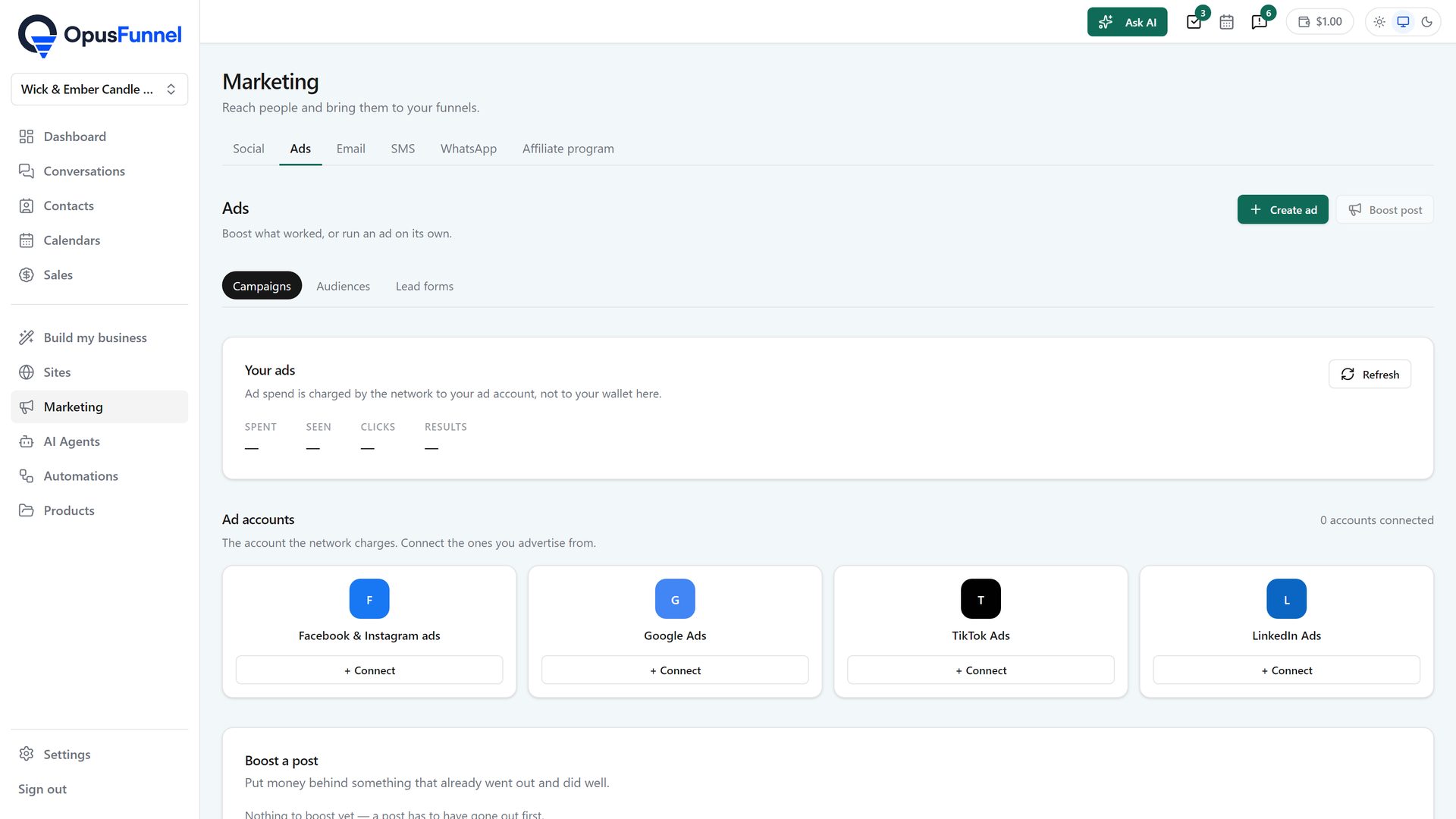
Marketing › Ads: your ads, ad accounts, boost a post, campaigns
Marketing › Ads › Campaigns: create an ad or boost a post; spent, seen, clicks and results; ad accounts

What is coming

Run the ad, catch the lead, follow up. All in the one system.

01 · Networks

Four ad accounts, one login

Facebook & Instagram ads, Google Ads, TikTok Ads and LinkedIn Ads, connected under Marketing › Ads › Ad accounts. You keep your own ad accounts; the network charges them, and the platform runs the campaigns through them.

  • Facebook & Instagram, Google, TikTok and LinkedIn
  • Your own ad accounts, connected under Marketing › Ads
  • Spend billed by the network, not by us
Marketing › Ads › Ad accounts
Ad accounts: connect the ones you advertise from

02 · Destination

Boost a post, or aim a campaign at a funnel

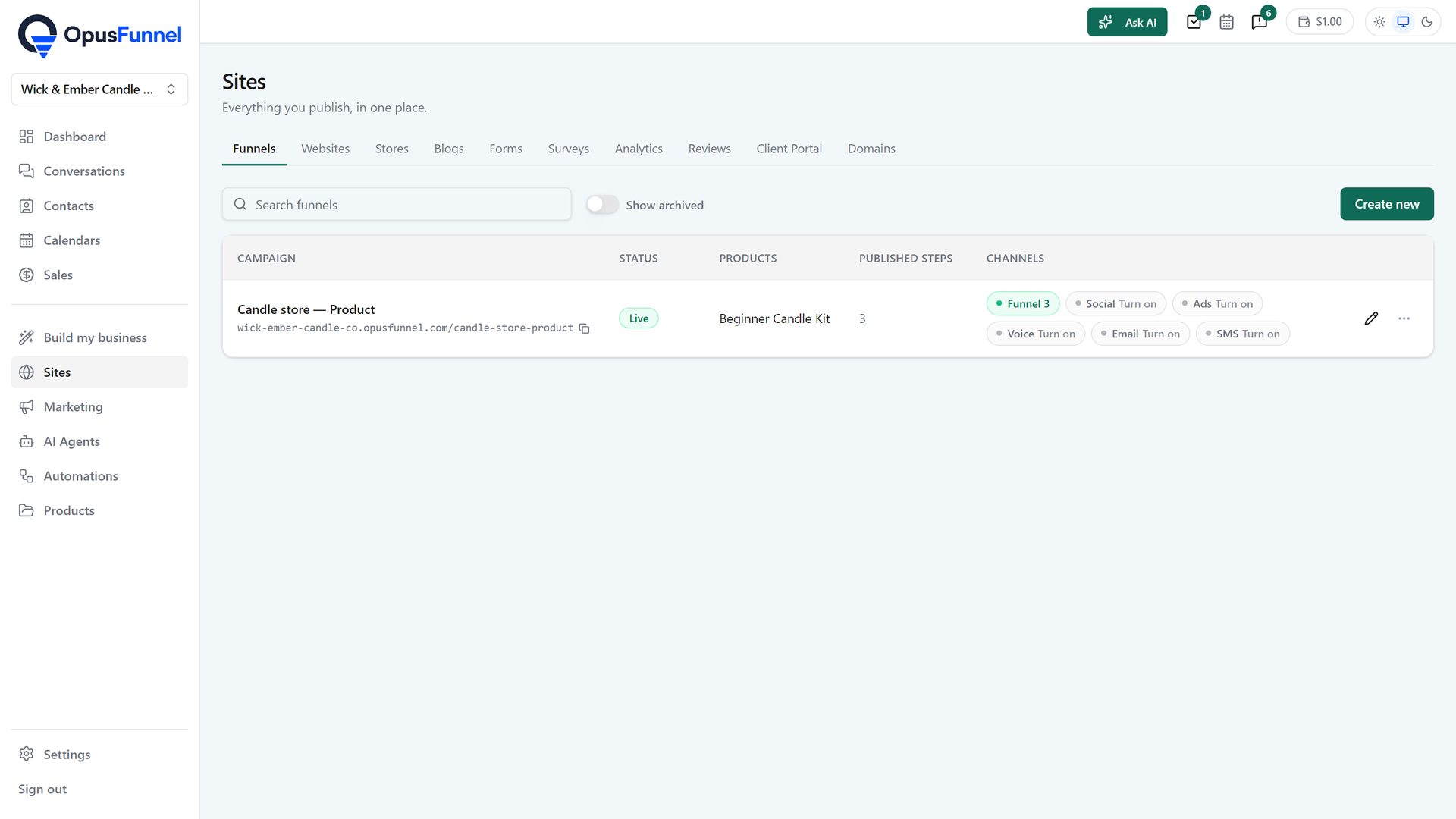
Boost a post puts money behind something that already went out from Marketing › Social and did well. A campaign points at a funnel, a booking page or a shop that already exists in the platform, so there is no pasting of URLs between tools.
  • Boost a published social post in one step
  • Pick a funnel, booking page or shop as the destination
  • The step's own domain and tracking
  • Change the page, the ad follows
Sites › Funnels
Sites › Funnels: the destinations an ad can point at

03 · Leads and numbers

Leads land in the CRM, automations fire

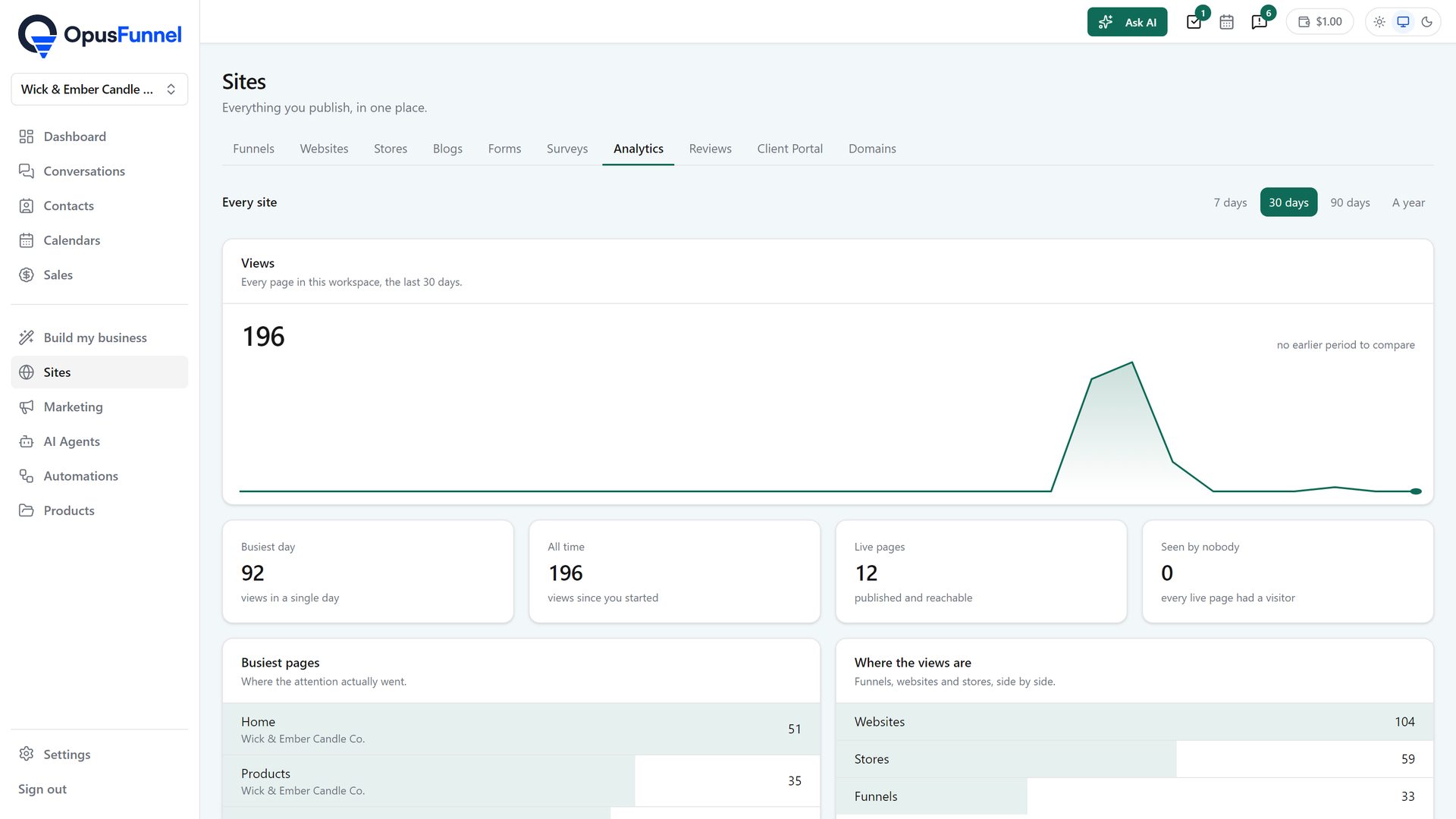
A form filled from an ad creates or updates the contact, tags it with the campaign, and starts whatever automation you set. Spent, seen, clicks and results sit at the top of Marketing › Ads, and every boost or campaign is listed with what it spent and what it got.
  • Contact created or updated, tagged with the campaign
  • Automations start from an ad lead
  • Spent, seen, clicks and results, per campaign and in total
Sites › Analytics
Sites › Analytics: where ad numbers will sit beside page numbers

04 · Audiences

Who the ad is shown to, built from what you already have

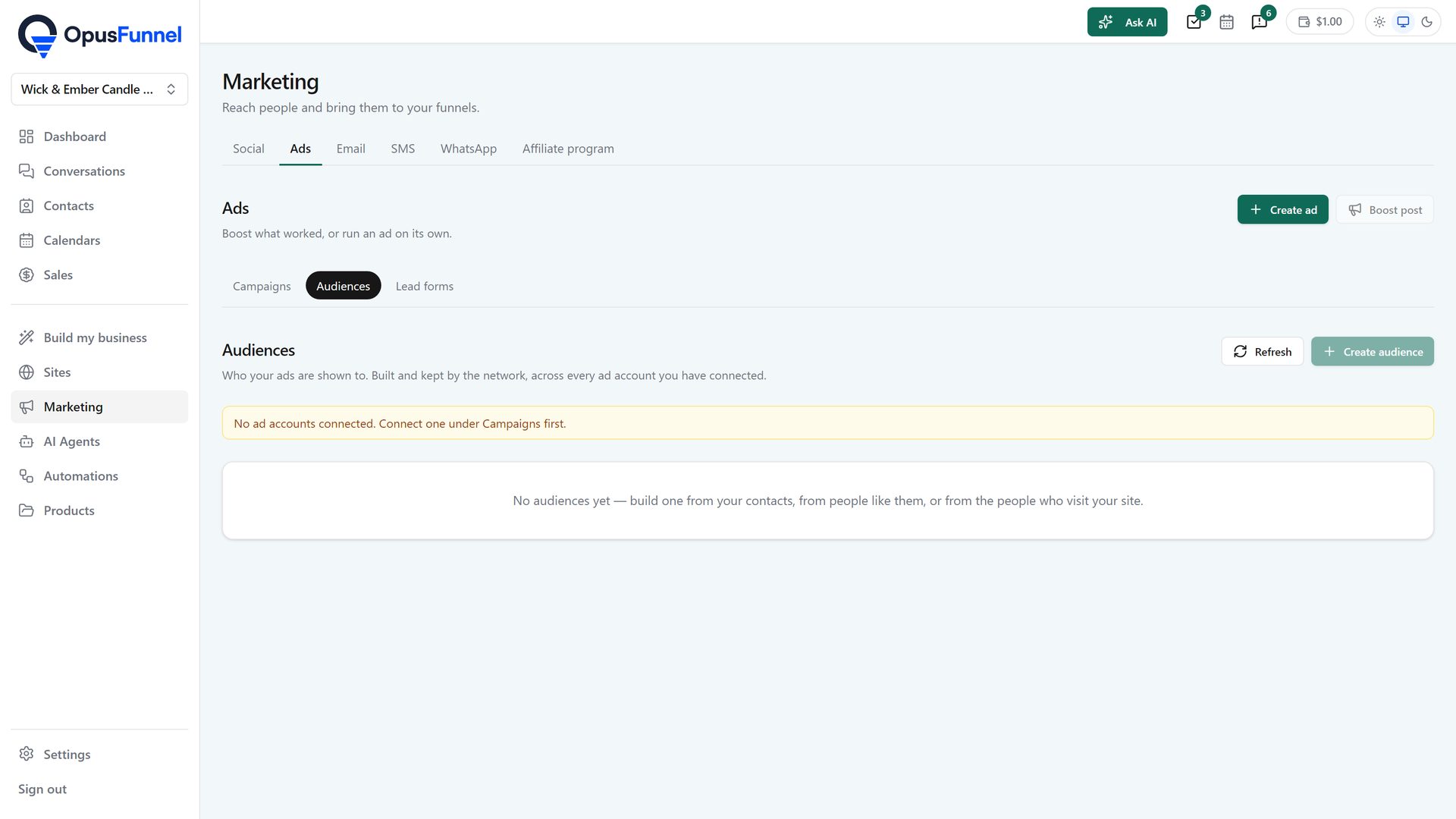
An audience is built from your contacts, from people like them, or from the people who visit your site, and kept by the network across every ad account you have connected. No exporting lists.
  • From your contacts, people like them, or site visitors
  • Built and kept by the network
  • Shared across every connected ad account
Marketing › Ads › Audiences
Audiences: from contacts, lookalikes or site visitors

05 · Lead forms

A form that opens inside the network, already filled in

Point an ad at a lead form and it opens inside the network with the person's details already in it. Every lead pulled from the form becomes a contact, tagged with the form name, and your new-lead automations run on it.
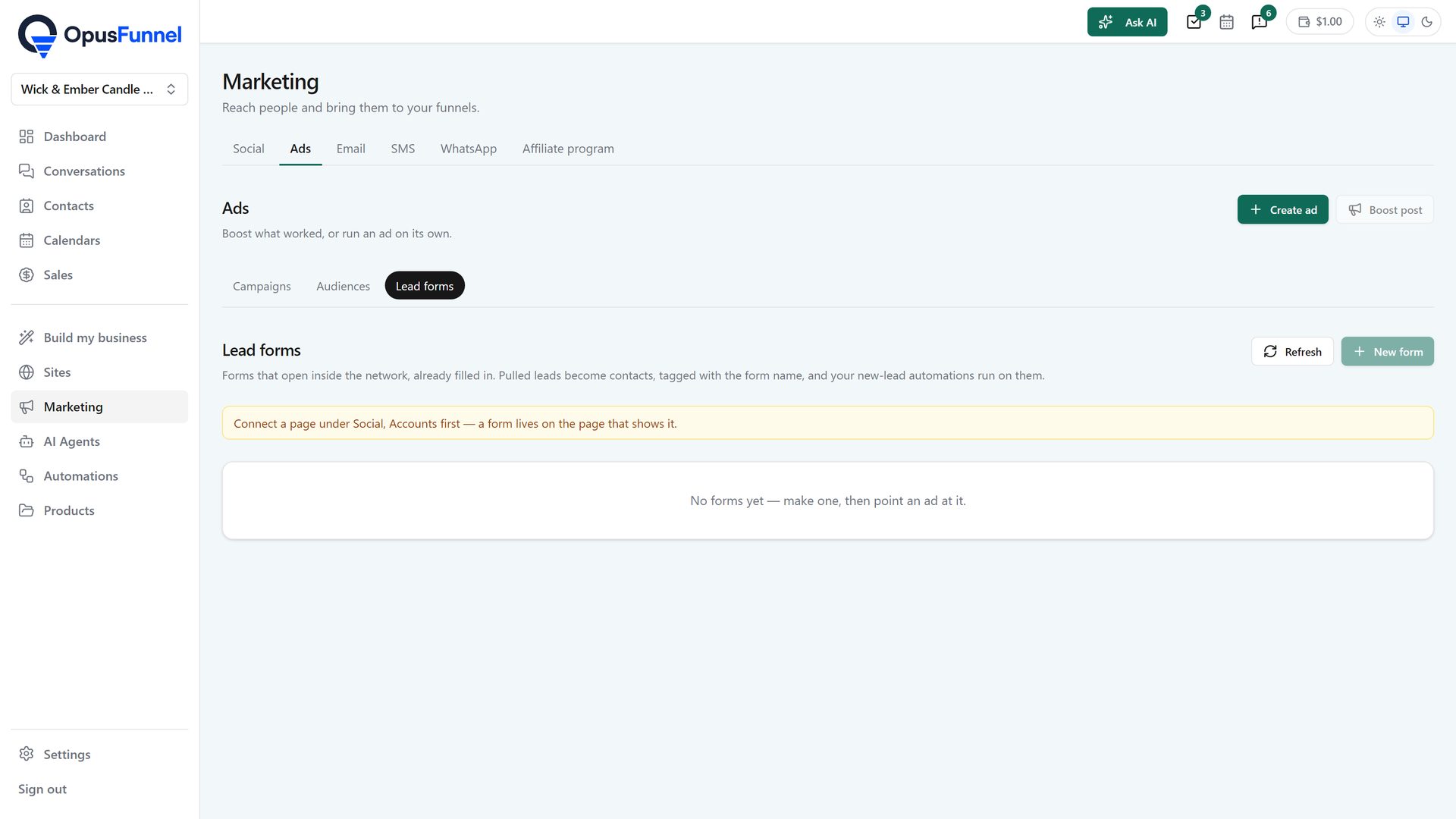
  • Opens inside the network, pre-filled
  • Leads become contacts, tagged with the form name
  • New-lead automations run on them
Marketing › Ads › Lead forms
Lead forms: leads become contacts and start automations

06 · Image ads

The pictures for the ad, made from one line

Say what the ad is for and what is in the picture, or point it at one of your pages. A batch comes back in about a minute, in the shapes the networks use, with your headline, button and colour laid on top. The words are never painted into the picture, so you can change them as often as you like.
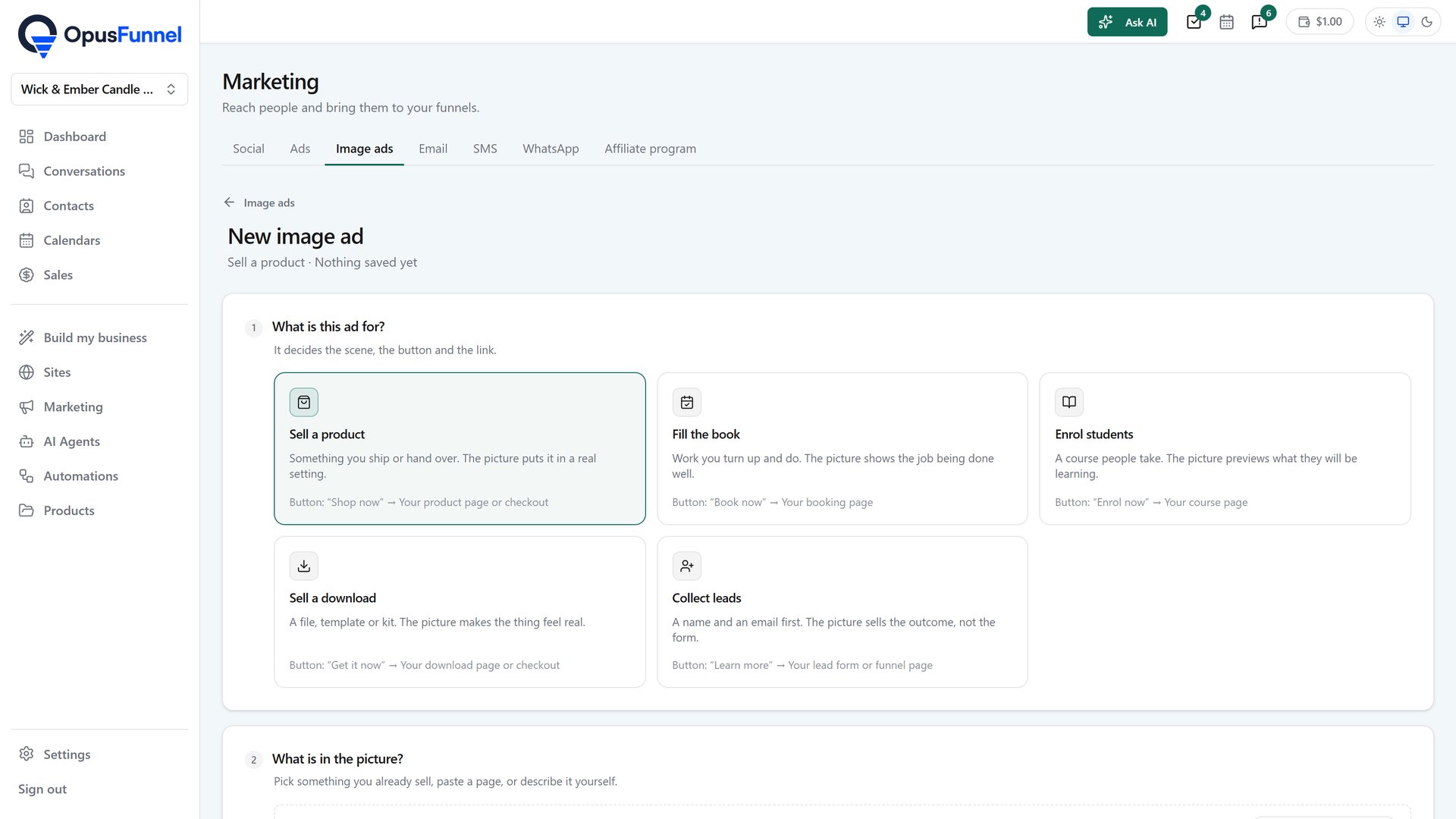
  • Sell a product, fill the book, enrol students, sell a download or collect leads
  • From your products, from a page, or in your own words
  • Feed 1:1, tall 4:5, story 9:16 and wide 16:9
  • Your logo and colour from your brand settings
  • Try your words on every picture, then post the one that works
Marketing › Image ads › New image ad: what the ad is for
Marketing › Image ads: what the ad is for decides the scene, the button and the link

Everything in it

What the ads tab does

Campaigns, Audiences, Lead forms and Image ads, under Marketing in the same login as your funnels and your CRM.

  • Facebook & Instagram ads, Google Ads, TikTok Ads, LinkedIn Ads
  • Your own ad accounts, connected under Marketing › Ads
  • Boost a post that already went out and did well
  • Campaigns created and managed from Marketing › Ads
  • Audiences from contacts, lookalikes or site visitors, kept by the network
  • Lead forms that open inside the network, pre-filled; leads become tagged contacts
  • Destination is a funnel, booking page or shop in the platform
  • Leads into the CRM, tagged with the campaign
  • Automations triggered by an ad lead
  • Spent, seen, clicks and results per campaign and in total
  • Ad spend billed by the network; management priced per connected account
  • Agencies run client campaigns from the client workspace and mark usage up
  • Image ads: a batch of pictures from one line, your words on top, in feed, story and wide shapes
Built on the Zernio API

Questions

Common questions

Is this live now?

Yes. Marketing › Ads has Campaigns, Audiences, Lead forms and Image ads. Connect an ad account under Settings › Channels or from the Campaigns screen, and the spend is billed by the network.

Which networks?

Facebook & Instagram, Google, TikTok and LinkedIn.

Who bills the ad spend?

The ad network, to your own ad account, as today. The platform manages campaigns through your account and charges only for the management, per connected account.

Where do the leads go?

Into the CRM as contacts, tagged with the campaign, with any automation you choose starting from there.

Ads, funnel, lead, follow-up. One login.

Ads sit next to the funnels, the CRM and the automations they feed, in one login.

14-day free trial, card required · renews monthly, cancel anytime · no platform fee on paid plans
