Home / Platform / Affiliate program
Platform · Affiliate program
Every OpusFunnel account includes a built-in affiliate program under Marketing › Affiliate program. Partners apply on a page on your domain, sign in with an emailed link, get their link, track their clicks and commissions, and get paid. You control the commission structure, the hold period, and the payout schedule. Orders, renewals and form leads are all credited. No separate tool, no extra fee.
Included on every plan · activate it when you are ready
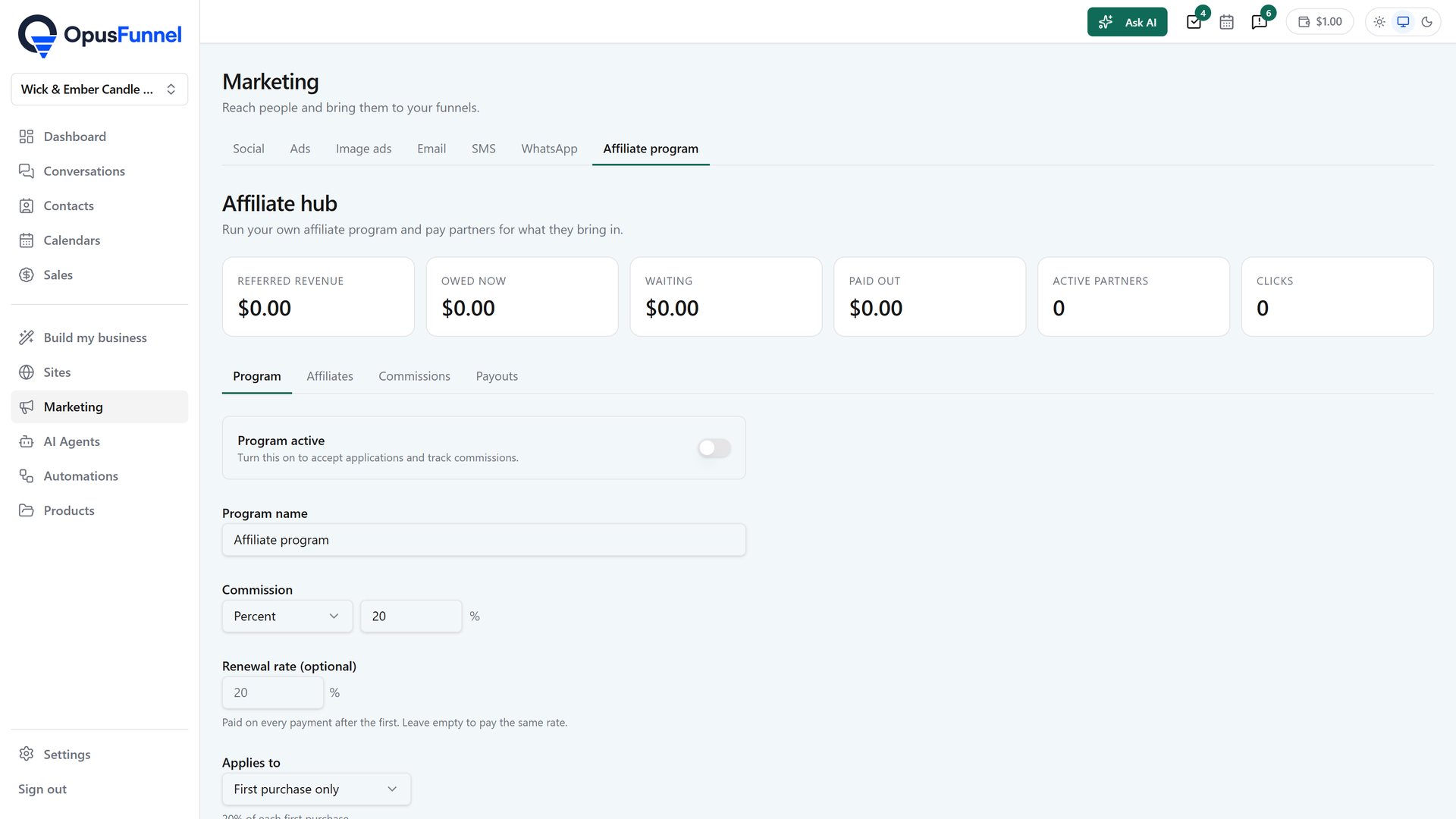
How it works
01 · Partner portal
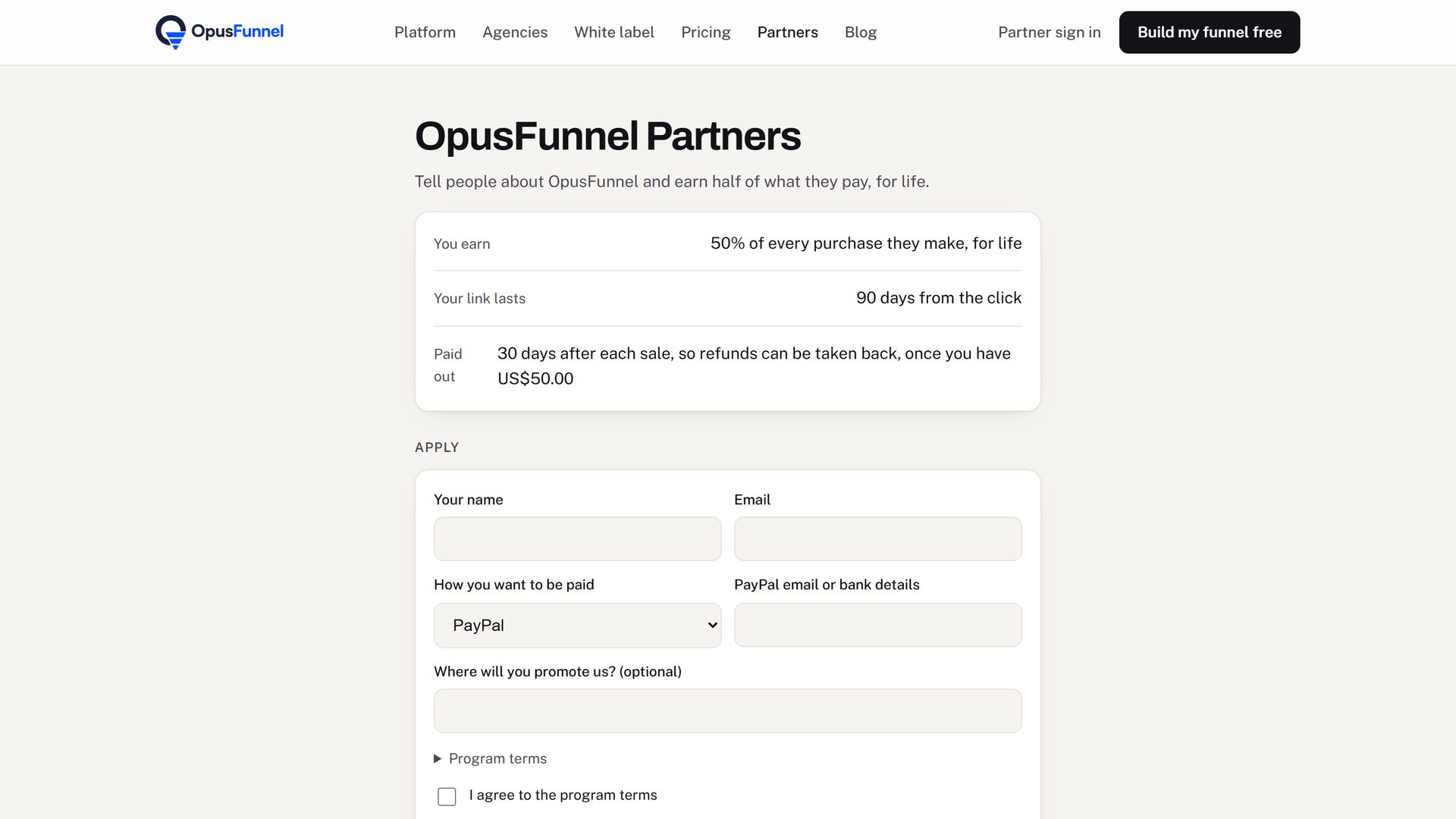
Every affiliate program gets a partner page at /affiliates on your domain. Partners apply there, then sign in with a link sent to their email — no password to set or forget. Their page shows their referral link and a link builder, how many people clicked, every customer they brought, every commission and when it becomes payable, and their payout history.
02 · Commission structure
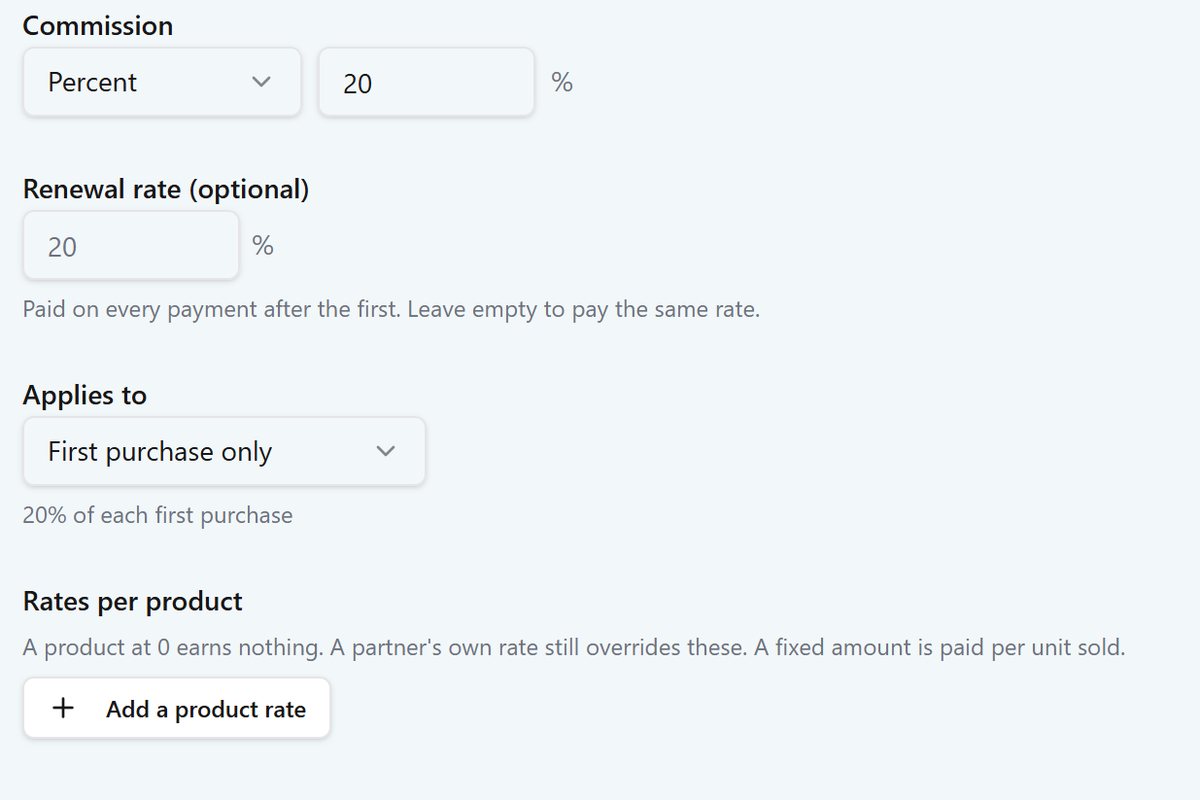
Set one rate for all products or a different rate per product. Choose percentage or a fixed amount. Set a separate rate for subscription renewals. Add a second tier so the partner who recruits another earns a percentage of their recruit’s commissions. Assign a custom rate to any individual partner. Give a partner a coupon code that credits them when a customer uses it at checkout.
One commission type for the whole program, or mix per product.
Charge more for a premium course than for a small download.
Pay a different amount when a subscription renews.
Recruiters earn a slice of what their recruits earn.
Pay a fixed amount when a partner’s contact submits a form.
A partner’s code at checkout credits them automatically.
03 · Tracking
When someone follows a partner’s link, a cookie is set. You choose how many days the cookie lasts. If they return and follow a different partner’s link, the newer one takes over. Store orders, subscription renewals and form leads are all credited back to the right partner. If a payment is refunded or a chargeback is filed, the commission is taken back — partially for a partial refund.
?ref=CODE&sub=TAG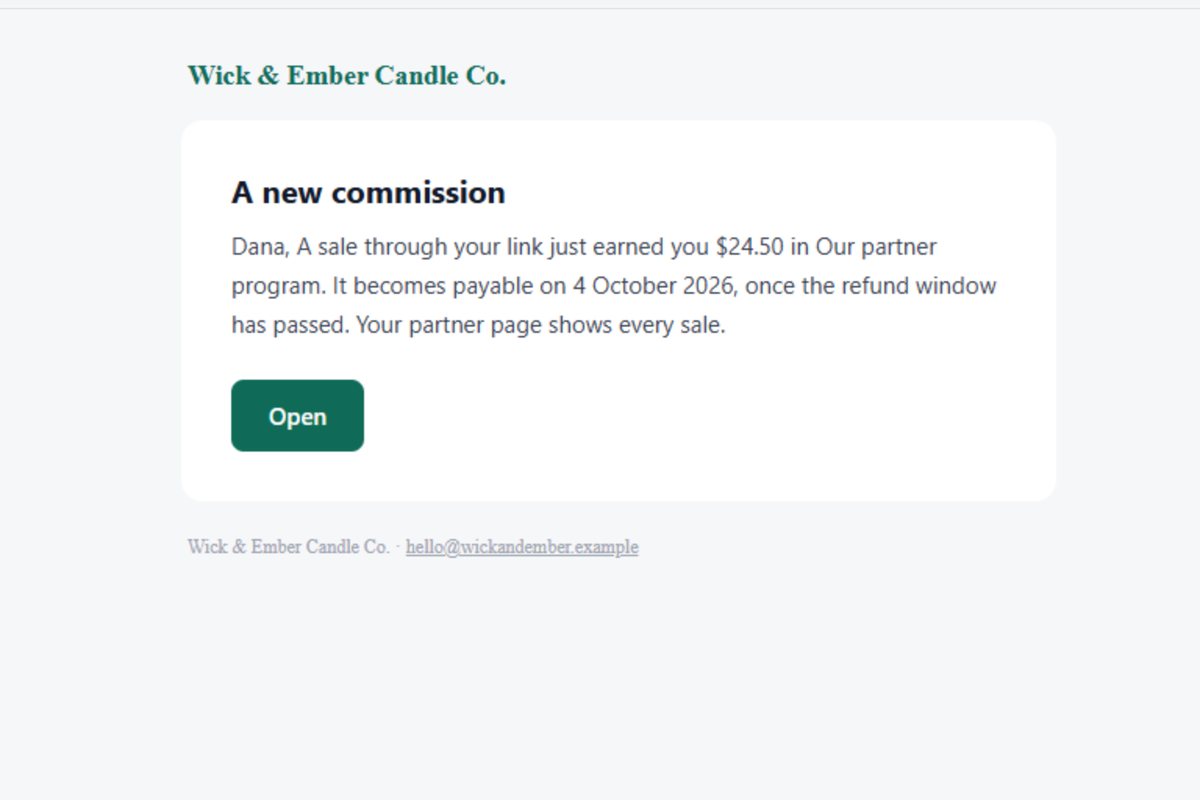
04 · Payouts
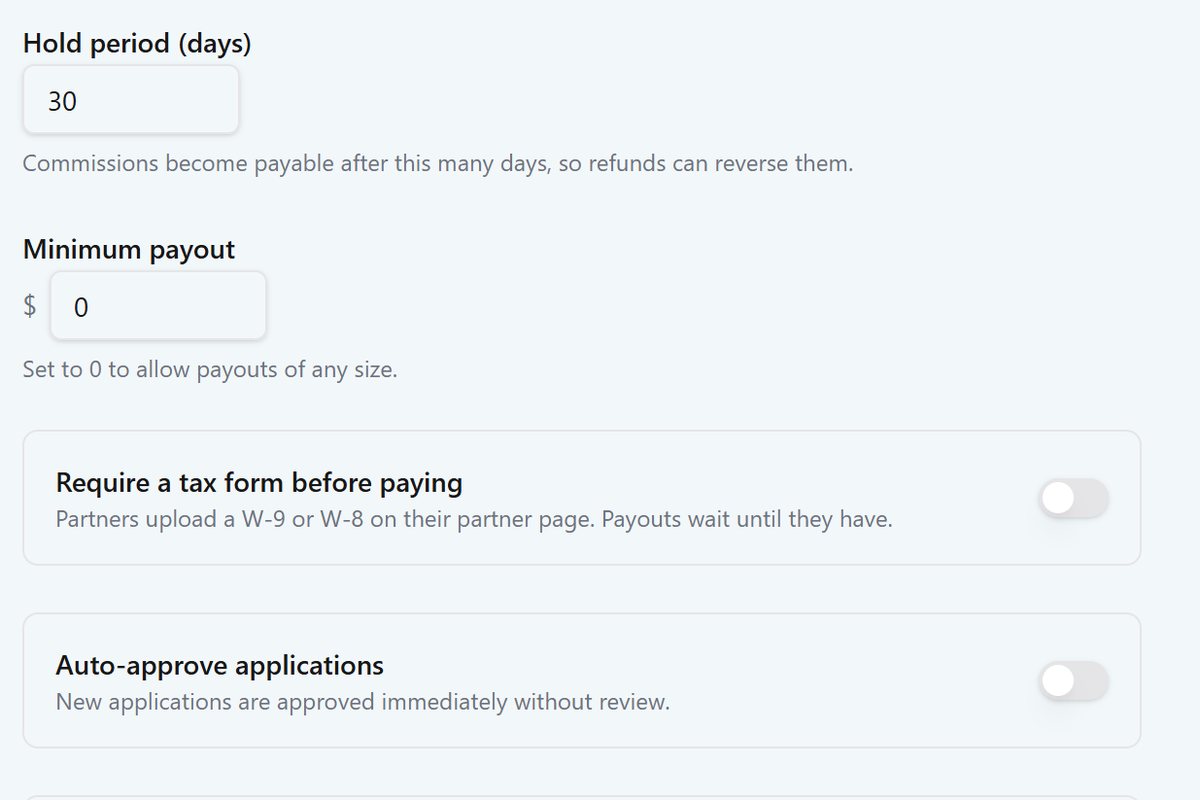
Commissions sit in a hold period (you set the number of days) before they become payable. When you are ready to pay, preview who gets what, then confirm and the platform sends one PayPal payout batch from your own PayPal account. Set a minimum payout amount and a weekly or monthly schedule, or pay on demand. You can also mark any payout as paid by hand, for bank transfers or any other method.
05 · Partners and automations
Turn on automatic enrollment and every customer who buys becomes a partner and gets their link by email. You can also import partners from a CSV with welcome emails, add partners by hand, or enroll contacts from a workflow step. Partner records live in your CRM alongside every other contact, tagged as Partner. Workflow triggers fire when a partner joins, gets approved, earns a commission, or is paid — so you can send them an email or update their record automatically.
Full feature list
?ref=CODE&sub=TAGQuestions
No. They apply on the partner page at your domain, and once approved they sign in with a link you send to their email. Nothing to set up, nothing to remember.
At /affiliates on your domain: yourdomain.com/affiliates. It carries your logo and colours, and there is no mention of OpusFunnel.
When someone follows a partner’s link, a cookie is set in their browser for however many days you configured. If they return and follow a different partner’s link, attribution switches to the newer one. Store orders, subscription renewals and form leads are all credited to the partner whose cookie is active at the time.
The commission is reversed. A partial refund reverses the commission in proportion to the amount refunded. Chargebacks are treated the same way.
You connect your own PayPal account. When you are ready to pay, you preview who gets what and how much. Once you confirm, the platform sends one PayPal batch payout. You can also mark any payout as paid by hand for other methods.
Yes. The affiliate program is part of every client workspace, and the partner portal inherits whatever brand the client workspace is running under. The agency sets it up in their client’s workspace.
Yes. It is included on every OpusFunnel plan. You activate it when you are ready under Marketing › Affiliate program.
Also in the platform
Partners apply, earn and get paid. You control the rates and schedule.
Included on every plan · 14-day free trial, card required · renews monthly, cancel anytime
