Home / Platform / AI agents
Platform · AI agents
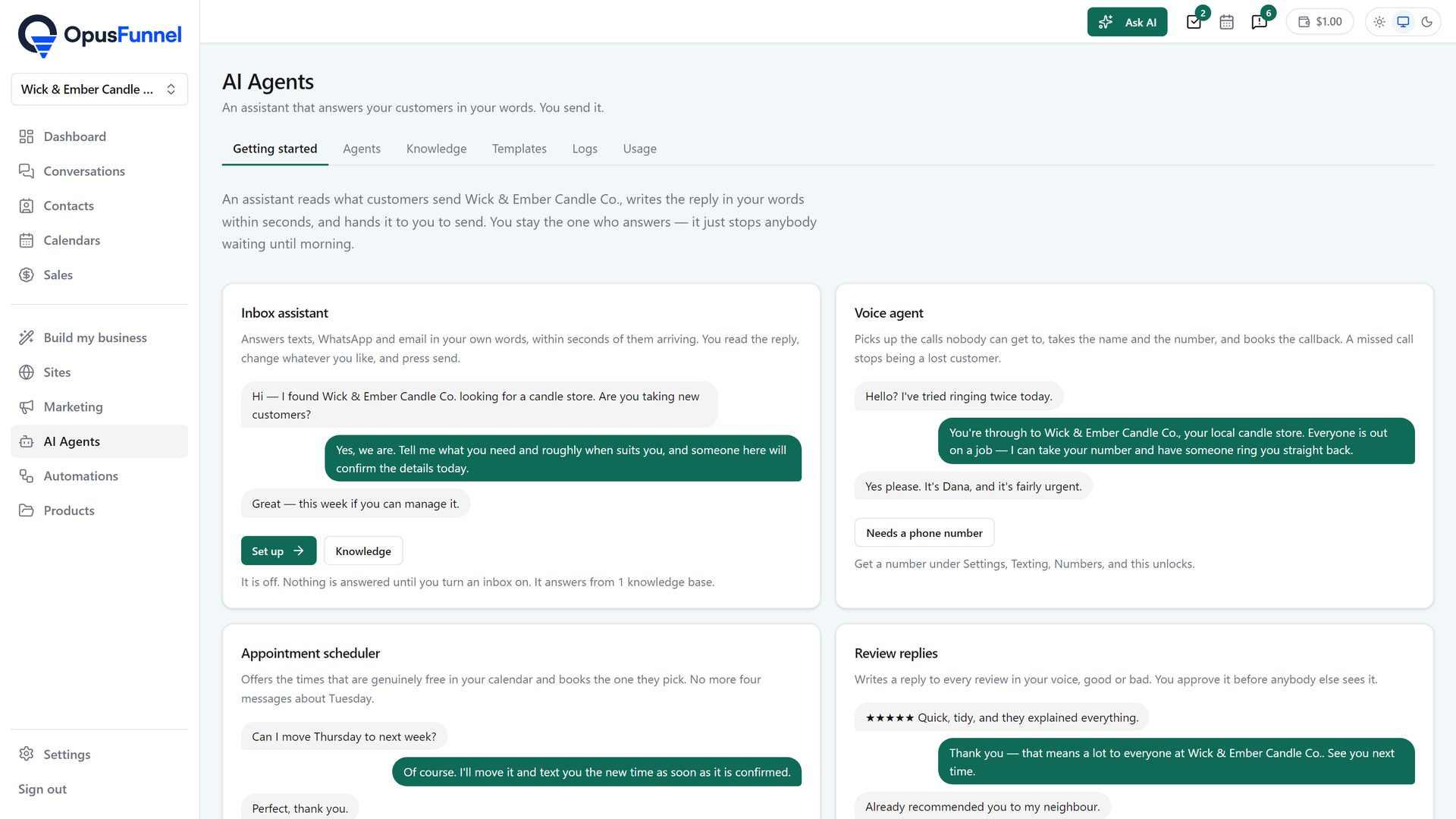
On every inbound email, text or WhatsApp message, the assistant drafts a reply from the thread, the contact record and your knowledge base, and a person sends it. A voice agent answers calls to your number, books appointments and takes messages. An agent can be a step in an automation. Every session and every call is logged.
Voice $0.25 a minute from your balance · AI usage metered and shown under AI Agents › Usage
How it works
01 · Inbox assistant
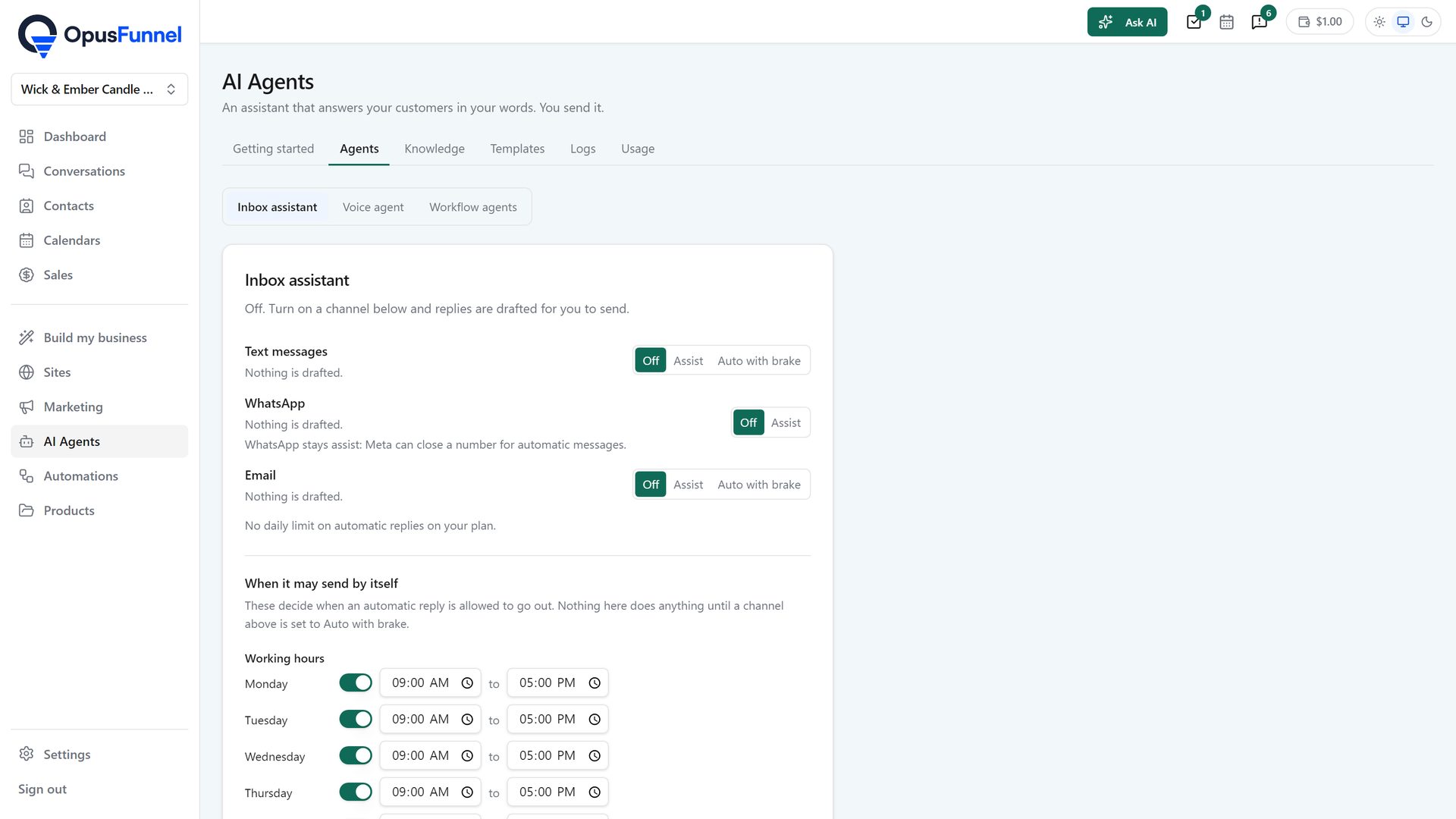
When an email, a text or a WhatsApp message arrives, the assistant reads the thread, the contact record and your knowledge base and writes a reply. It sits in the conversation as a draft. Someone on your team reads it, then sends it, edits it or dismisses it. If you want a channel to send on its own, the owner can switch on auto with brake for it: replies go out within working hours and stop the moment a human replies or the contact asks for a person. WhatsApp stays draft only.
02 · Voice agent
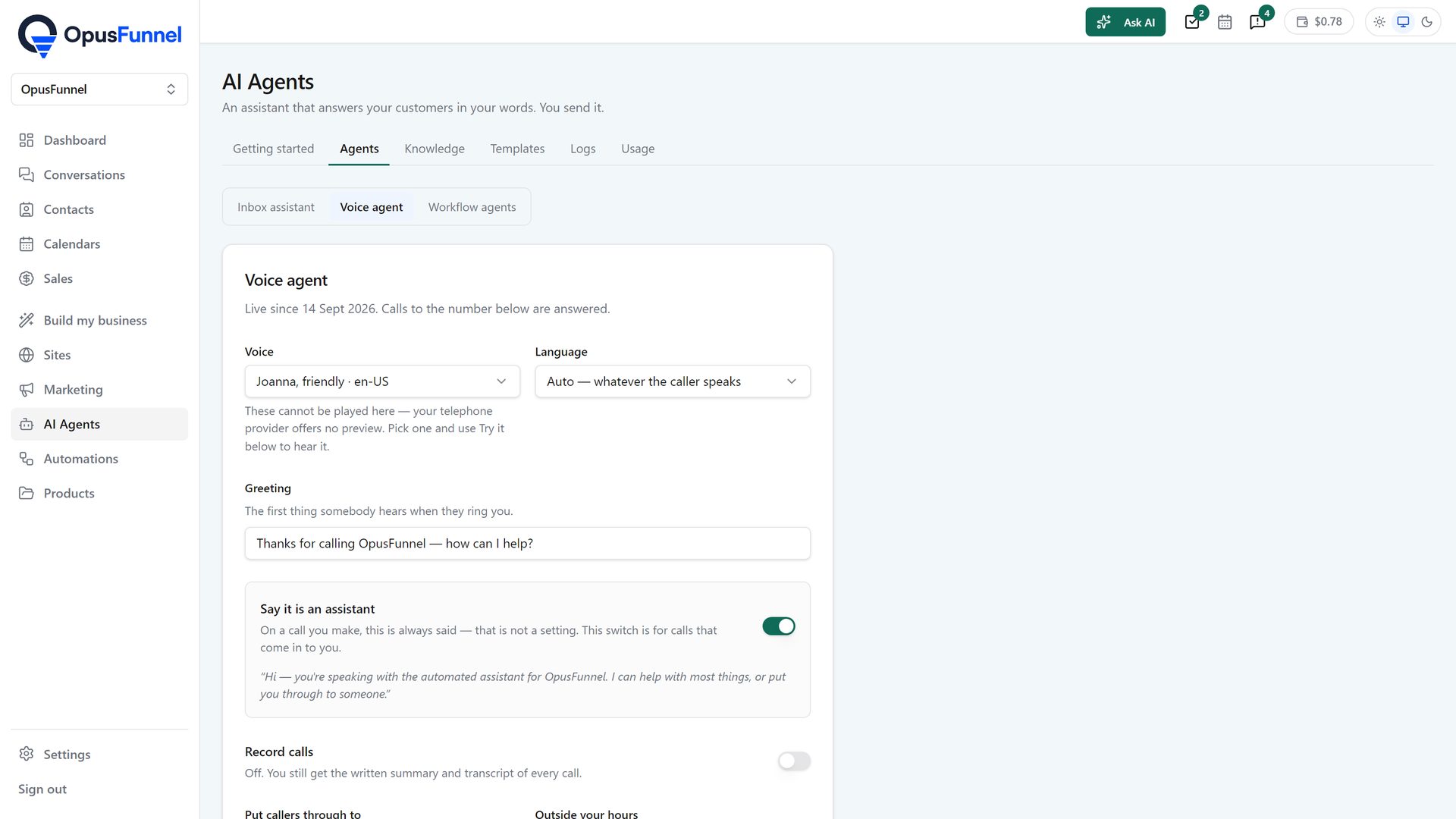
Buy a number under Settings › Texting and the voice agent answers calls to it. Pick a voice and write the greeting. It answers from the knowledge base, can book an appointment, take a message and hand the call to a person. Every call is logged with a transcript, a summary and an outcome, on the contact's timeline and under AI Agents › Logs › Calls. From a contact record it can also place a call back to a new lead. It runs on Telnyx.
03 · Knowledge
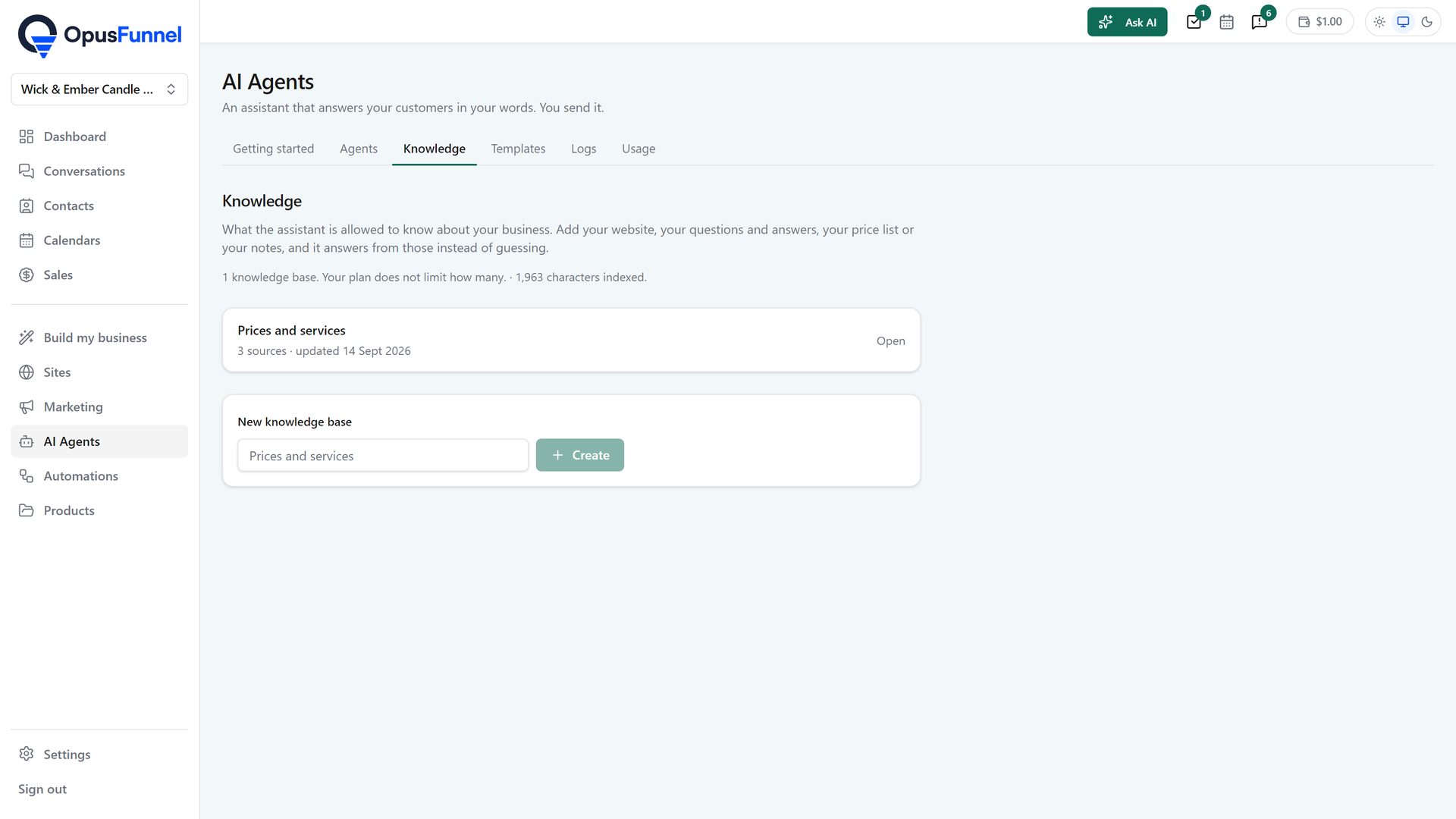
Add web pages, FAQs, tables, rich text or files. The inbox assistant and the voice agent answer from that knowledge base. A test box shows what would be retrieved for a question before a customer asks it. Questions it could not answer are logged as gaps, so you can see what to add next.
04 · Automations and logs
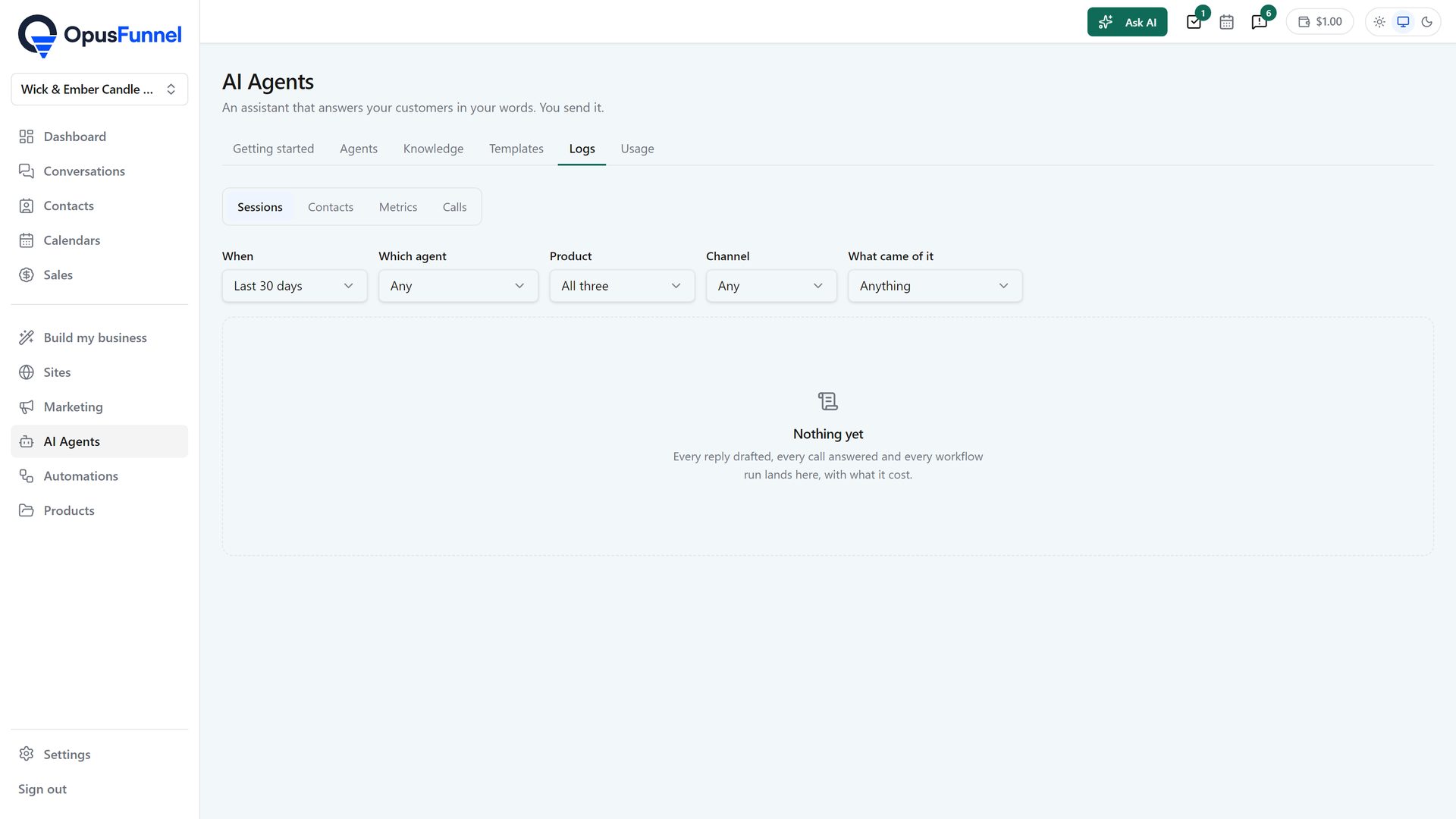
An agent can be a step in an automation. It acts on the contact with a bounded set of actions: tag, note, task, update a field, send an email or text, book, start a sequence, notify the team, escalate. There are templates per trade to start from. Every session it runs, and every call the voice agent takes, is listed under AI Agents › Logs. AI usage is metered and shown under Usage, where an agency can set a limit per client.
05 · Review replies
When a review lands on a connected account, the review-replies agent writes an answer in your words, good review or bad. It waits as a draft; you read it, change what you like and approve it before anybody else sees it. Reviews come in through Marketing › Social › Inbox.
Everything included
Calls are $0.25 a minute from a balance you top up. AI usage is metered and shown under AI Agents › Usage.
The maths
| Voice agent, on a call | $0.25 per minute |
| The number it answers on | $6.00 per month |
| A text it sends for you | $0.02 per segment |
| Inbox assistant and workflow agents | Metered AI usage |
| Where it comes from | A balance you top up |
Agencies can mark usage up and set a limit per client. Every session and every call is listed under AI Agents › Logs.
Questions
Not unless you switch it on. By default it drafts and a person sends. The owner can switch on auto with brake per channel: it then sends within working hours and stops the moment a human replies or the contact asks for a person. WhatsApp stays draft only.
It answers with your greeting in the voice you chose, answers questions from the knowledge base, can book an appointment, take a message and hand the call to a person. Afterwards the transcript, summary and outcome go on the contact's timeline and under AI Agents › Logs › Calls.
From the knowledge base you build: web pages, FAQs, tables, rich text or files. A test box shows what would be retrieved for a given question, and questions it could not answer are logged as gaps.
Yes, as a step. It acts on the contact with a bounded set of actions: tag, note, task, update a field, send an email or text, book, start a sequence, notify the team, escalate. Templates exist per trade.
Calls are $0.25 a minute and a number is $6.00 a month, from a balance you top up. AI usage is metered and shown under AI Agents › Usage. Agencies can mark usage up and set a limit per client.
Yes. Every agent session and every call is listed under AI Agents › Logs, with a transcript, summary and outcome for each call. Calls also sit on the contact's timeline.
Also in the platform
Read the draft, send the reply. Let the voice agent answer the number. Check the log.
14-day free trial, card required · renews monthly, cancel anytime · no platform fee on paid plans
