Home  /  Platform  /  Booking calendar

Platform · Booking calendar

Bookings that land in the CRM, not just the calendar.

Availability rules, round-robin routing, buffers, reminders and paid bookings — attached to the contact record, so the call sits next to their purchase history and triggers the follow-up automatically. No Calendly subscription.

Included from the $97 Grow plan · unlimited booking pages

How it works

They pick a time. Everything else takes care of itself.

01 · Availability

Rules that stop your week filling up badly

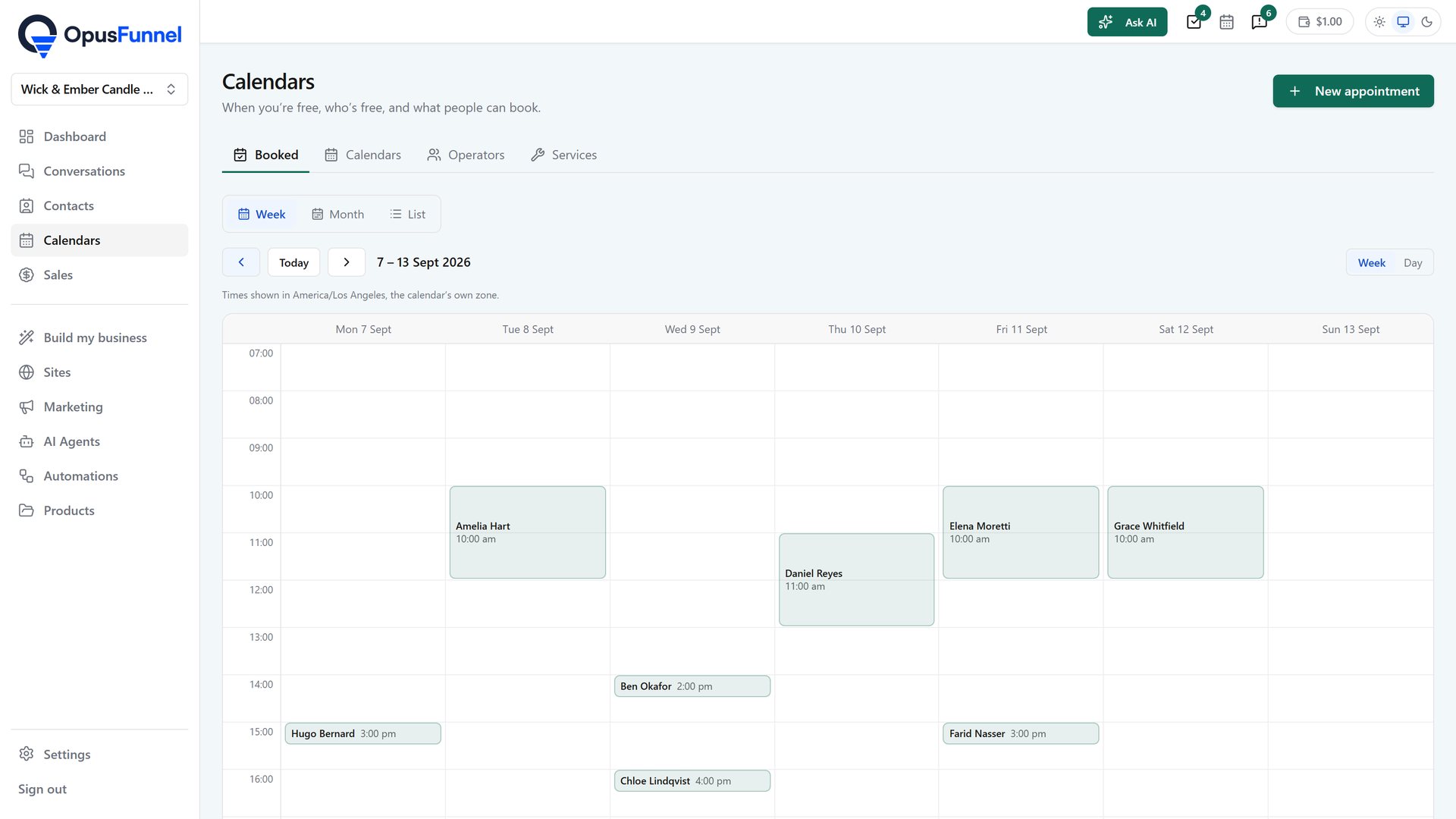
Set working hours per day, minimum notice, maximum bookings per day and buffers before and after each call. Connect your Google or Outlook calendar so anything already there blocks the slot automatically. Time zones convert for the person booking, so nobody turns up an hour out.
  • Working hours set per day of the week
  • Buffers before and after appointments
  • Minimum notice and maximum daily bookings
  • Two-way Google and Outlook calendar sync
  • Automatic time-zone conversion for bookers
  • Date overrides for holidays and one-off changes
The booking page a customer sees - your slots, your timezone
The booking page a customer sees — your slots, your timezoneenlarge

02 · Route

Multiple calendars, teams and round-robin

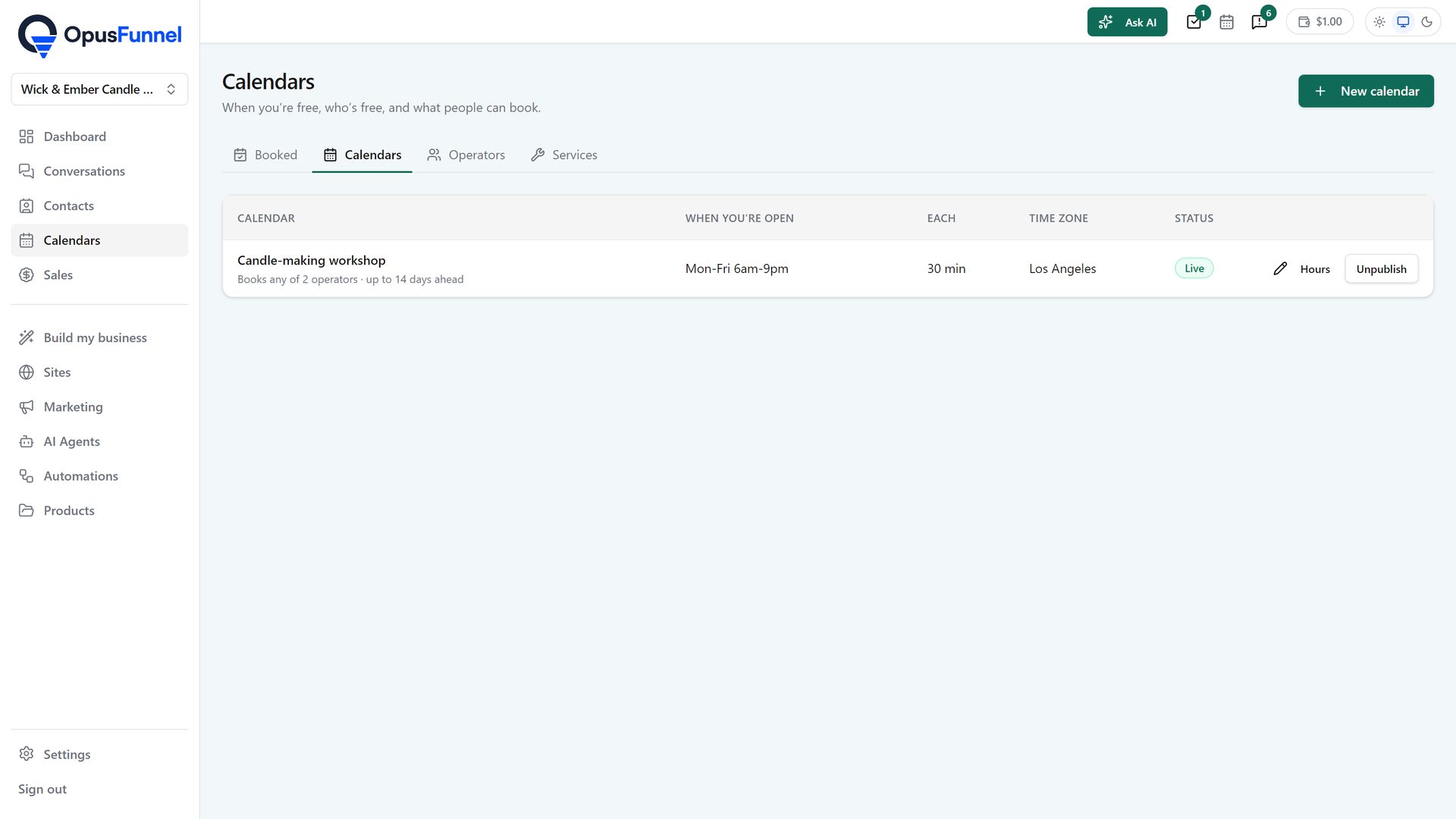
Create a separate booking page for each type of meeting — discovery call, onboarding, coaching session, group class. Route bookings across a team by round-robin, or require several people to be free at once for a panel. Take payment at the point of booking when the call is paid.
  • Unlimited booking pages and calendar types
  • Round-robin distribution across a team
  • Collective calendars needing several people free
  • Class and group booking with capacity limits
  • Paid bookings with payment taken up front
  • Custom intake questions on the booking form
Personal, round-robin, class or collective booking
Personal, round-robin, class or collective bookingenlarge

03 · Follow up

Reminders, no-shows and what happens next

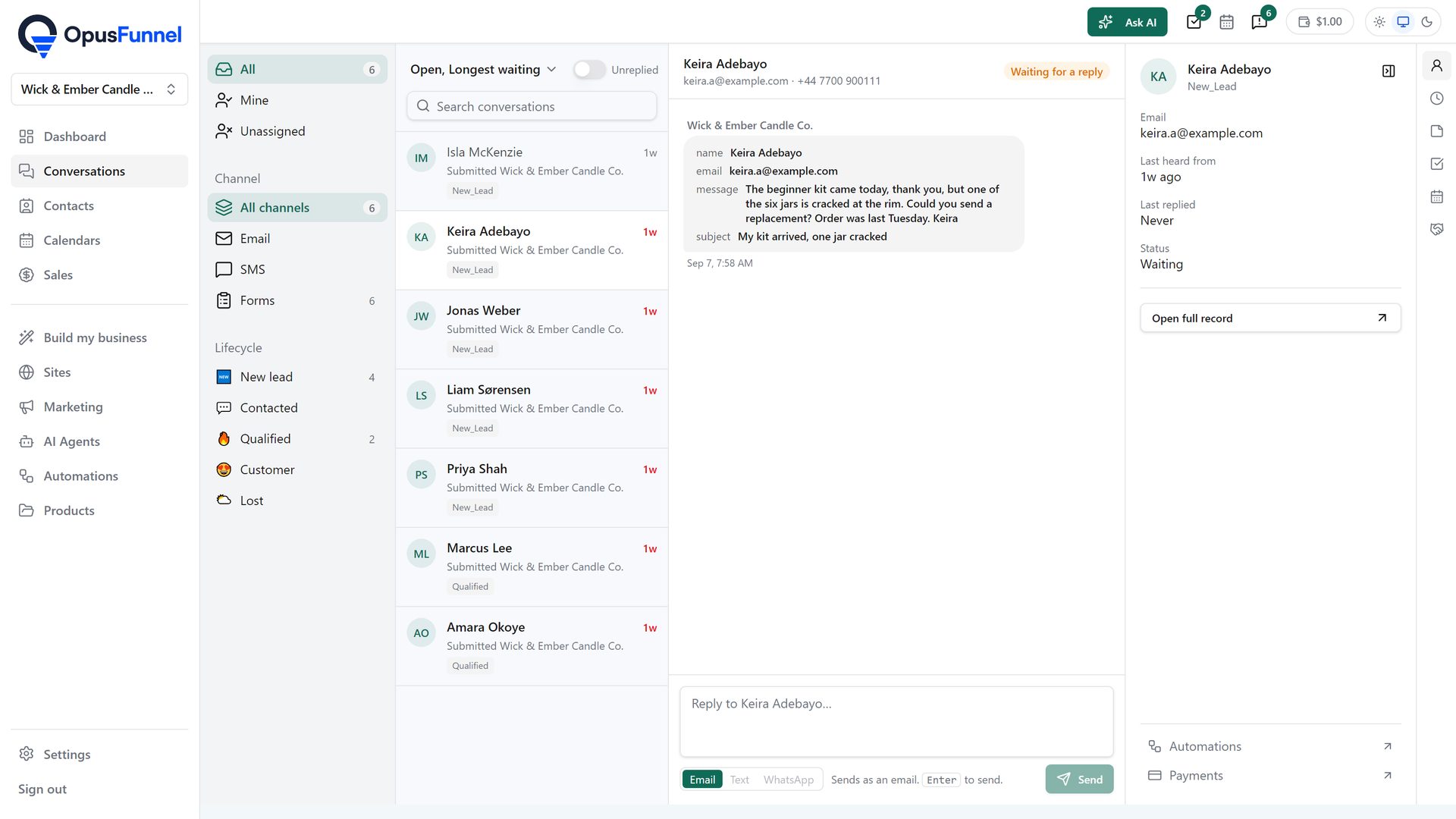
Confirmation and reminder emails send automatically. The appointment appears on the contact's timeline alongside their purchases and course progress, so you walk into the call knowing the history. And because bookings are automation triggers, a no-show can start a rebooking sequence without you noticing it happened.
  • Automatic confirmations and reminders
  • Reschedule and cancel links for the booker
  • Appointments on the contact's timeline
  • No-show, cancelled and completed statuses
  • Automations on booked, rescheduled and missed
  • Appointment reporting on volume and attendance
Every booking lands on the contact record, with notes and status
Every booking lands on the contact record, with notes and statusenlarge

Everything included

Everything in the booking calendar

Calendars are on the $97 Grow plan and above, with unlimited booking pages.

  • Unlimited booking pages GROW
  • Multiple calendar types GROW
  • Working hours per day GROW
  • Date overrides and holidays GROW
  • Buffers before and after appointments GROW
  • Minimum notice periods GROW
  • Maximum bookings per day GROW
  • Appointment duration and slot intervals GROW
  • Two-way Google Calendar sync GROW
  • Two-way Outlook Calendar sync GROW
  • Automatic time-zone conversion GROW
  • Round-robin team distribution GROW
  • Collective multi-person calendars GROW
  • Class and group bookings with capacity GROW
  • Recurring appointments GROW
  • Paid bookings taken at checkout GROW
  • Custom intake questions GROW
  • Booking pages on your own domain GROW
  • Embedded booking widgets on any page GROW
  • Booking steps inside funnels GROW
  • Automatic confirmation emails GROW
  • Automatic reminder emails GROW
  • Reschedule and cancellation links GROW
  • Video-call links on confirmation GROW
  • Appointments on the contact timeline GROW
  • No-show, cancelled and completed statuses GROW
  • Booked, rescheduled and no-show automation triggers GROW
  • Rebooking sequences for no-shows GROW
  • Appointment reporting and attendance rates GROW
  • Team member assignment GROW
  • Custom reports on booking performance SCALE
  • API access to calendar data SCALE
No badge = every plan, from $79 SELL = $29 and up GROW = $97 and up SCALE = $197 and up

The maths

What scheduling normally costs

Calendly Teams$16/mo per seat
Paid-booking add-on$12/mo
CRM sync integration$29/mo
Same job, on OpusFunnelIncluded at $97

Calendly's per-seat pricing is the part that stings as a team grows. Ours is per account, with unlimited booking pages.

Questions

Common questions

Does it sync with Google Calendar?

Two-way. Existing events block availability so you can't be double-booked, and new bookings appear in your Google or Outlook calendar immediately.

Can I charge for a booking?

Yes. Take payment at the point of booking through your own Stripe account, with 0% platform fee — useful for paid consultations and coaching.

Does it handle a team?

Yes — round-robin across several people, or collective calendars requiring multiple people free at once. Ten seats are included on the $97 plan.

What happens when someone doesn't turn up?

The appointment is marked a no-show, and from there an automation can start a rebooking sequence. Kajabi, ClickFunnels and Thinkific have no booking calendar at all, so this is not something they can do.

Can I put a booking step inside a funnel?

Yes. A booking step is a funnel step type, so a prospect can move from sales page to booked call without leaving the sequence.

Also in the platform

Bookings, on the same record as everything else.

Unlimited booking pages, round-robin and paid calls — from $97 a month.

14 days free · cancel anytime · 0% transaction fees
